


I’ve been chasing a clean Android experience for longer than I care to admit probably since around 2014 when I first rooted an old Samsung Galaxy and installed AdAway. Back then, everything felt straightforward: modify the hosts file, block the domains, and enjoy silence. When no root options started appearing, AdPolice caught my eye because it was dead simple. No complicated setup, just toggle it on, let it run its local VPN, and most ads vanished across apps and browsers. For a couple of years, it was exactly what I needed on my daily driver phones.
But sometime around early 2024, I started noticing cracks. Ads sneaking through in certain games, occasional pop ups on news apps, and the app itself hadn’t seen a proper update in ages. I kept waiting for fixes that never came, and eventually I realized AdPolice had become more placebo than protection. That’s when I began seriously hunting for AdPolice alternatives something that could match that old simplicity but actually keep up with how aggressive advertising has become in 2026.
What followed was months (honestly, closer to two years now) of installing, testing, tweaking, and sometimes cursing under my breath on half a dozen devices: a Pixel 8 running stock Android 15, an older OnePlus that I keep around for comparison, a Samsung tablet, even a budget phone for my kid. I didn’t just install and forget I lived with each option as my only blocker, noting what broke, what drained battery silently, and what quietly stopped working after weeks of normal use. The insights I’m sharing here aren’t from reading changelogs or watching review videos. They’re from real frustration, late night troubleshooting, and those small victories when something finally clicked.
How Android 14 and 15 Quietly Broke Many No Root AdPolice Alternatives
One of the biggest eye openers for me was realizing how much modern Android itself fights against these tools. When Google tightened background restrictions starting with Android 13 and kept refining them through 14 and 15, it wasn’t targeting ad blockers specifically but the side effects hit them hard.
Most no root system wide blockers rely on Android’s VPN API to filter traffic locally. The system sees this as an always running VPN service, and Android’s battery optimizer absolutely hates always running services. Unless you manually disable battery optimization for the app (and remember to do it again after every major update), the service gets paused or killed after the screen turns off for a while. I learned this the hard way on a fresh Android 15 install: everything seemed perfect for the first day, then suddenly ads flooded back during my evening scroll. Checked the VPN status gone. The blocker had been silently throttled.
Even when you exempt the app properly, there’s another catch I’ve seen consistently: poor signal areas. When mobile data or WiFi is spotty, firewalled apps keep retrying connections in the background. The blocker has to wake up repeatedly to deny them, and that creates unexpected battery spikes. On my Pixel, I once watched a single shopping app that I had firewalled chew through 8% battery overnight just by hammering retry attempts. Most people blame the blocker itself, but it’s really Android’s aggressive process management teaming up with badly behaved apps.
The Battery Drain Reality Nobody Talks About in AdPolice Alternatives
You’ll read everywhere that modern blockers have “negligible” battery impact. In ideal conditions strong signal, well behaved apps, default settings that can be true. But after long term testing, I’ve found the reality is more nuanced and frustrating.
Pure DNS based filtering (changing your private DNS to something like AdGuard’s public server) uses almost no extra battery because it’s handled at the system level. The trade off is weaker blocking many ads load from the same domains as content, or directly via IP addresses that DNS can’t touch.
Local VPN based blockers process every packet, which does cost something. On paper it’s small maybe 2 to 4% over a full day on a modern phone. But enable aggressive firewall rules (blocking internet for apps that don’t need it), and the picture changes. Apps that expect constant connectivity social media, weather widgets, anything with push notifications will wake the device repeatedly trying to reconnect. The blocker wakes too, processes the request, denies it, and the cycle repeats. Over a week of monitoring with Android’s built in battery stats and AccuBattery, I saw days where this indirect drain pushed the blocker into my top five battery users, even though direct usage showed low.
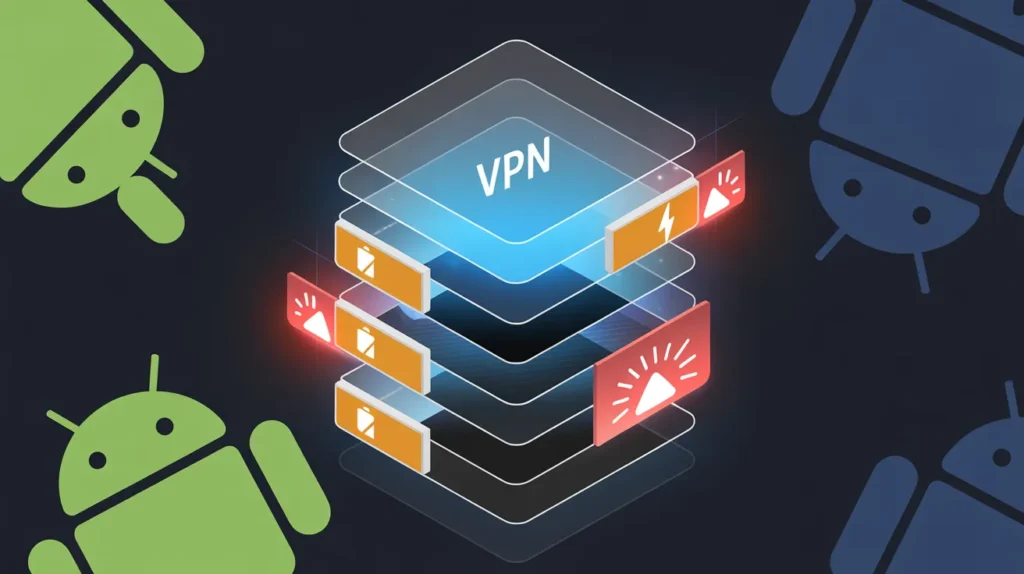
The worst offender I experienced was when I combined heavy blocklists with strict firewalling on an older device. Overnight drain jumped from my usual 4 to 5% to nearly 15%. Once I loosened rules for a few background heavy apps, it settled back down. The lesson: battery impact isn’t just about the blocker it’s about how your specific app collection behaves when denied internet.
Why Banking Apps Become the Silent Nemesis of Most AdPolice Alternatives
This one has caused me more headaches than anything else. Many banking and finance apps (especially in regions with strict financial regulations) actively detect VPN connections even local ones that don’t route traffic anywhere and refuse to launch for “security reasons.” They worry about man in the middle risks or location spoofing.
I ran into this constantly. One major bank’s app would open fine with the blocker off, but the moment I activated any VPN based alternative, it threw up a warning: “VPN detected, please disable for security.” Excluding the app from filtering usually fixes the connection, but sometimes the detection is deeper checking if any VPN interface exists at all. AdGuard users report this often; even with the app bypassed, the underlying VPN tunnel triggers the check.
There’s another layer with HTTPS filtering (the feature that catches encrypted ads others miss). It requires installing a user certificate, and some banking apps now scan for non system certificates as a root or tampering indicator. I’ve had to disable HTTPS filtering globally just to use certain finance apps, which immediately let more ads through elsewhere. It’s a constant juggling act: maximum protection versus access to essential apps. After enough frustrating moments once missing a time sensitive transfer because I couldn’t log in I now keep a quick toggle widget for pausing protection when dealing with banks.
The Apps Where Even the Best AdPolice Alternatives Fail Silently
No blocker is perfect, but the silent failures are what erode trust over time. You think everything’s clean, then one day you notice something slipped through and realize it’s been happening for weeks.
YouTube’s official app is the obvious one nothing no root reliably blocks video ads there in 2026 without breaking playback or getting detected. The ads are server side stitched now; blockers can strip some banners or sponsor mentions, but pre rolls and mid rolls usually win. I eventually accepted browser based watching with a good extension or separate solutions like patched apps for full removal.
Mobile games are worse. Many free to play titles cache ads locally or pull them peer to peer, completely bypassing network filtering. Rewarded video ads often come from the game’s own servers on the same domains as gameplay traffic. Block too aggressively and you break rewards or multiplayer; block lightly and ads appear anyway. I’ve tested on popular battle royales and casual games after a fresh install, blocking seems solid, but after updates or events, new ad partners sneak through untouched.
Social apps like TikTok or Instagram Reels are similar. Short form video ads blend seamlessly with content, often loaded from primary CDNs. Aggressive lists break scrolling or loading entirely; conservative ones let sponsored posts through unmarked. The creepiest silent failures are tracker domains that change weekly blocklists update monthly at best, so for days or weeks your data leaks quietly until someone notices and submits a fix.
My Long Term Experience Switching to RethinkDNS as an AdPolice Replacement
RethinkDNS became my main driver for over a year because I loved the control. The firewall alone being able to deny internet per app without killing the app entirely felt like the rooted experience I’d missed. I blocked background access for dozens of pre installed bloatware apps and felt my phone breathe easier.
But after six months of daily use across Android 14 and 15 updates, patterns emerged. Battery would be fine for days, then spike dramatically when I traveled to areas with weak signal. Firewalled apps retried constantly, forcing constant wake ups. Network slowdowns started appearing too pages taking longer to load, especially on mobile data. A few times the DNS resolver just dropped entirely for minutes, leaving me without internet until I force stopped and restarted the app.
The customization that drew me in also became a maintenance burden. To keep blocking effective, I had to curate blocklists regularly adding new ones for emerging threats, removing ones that overblocked legitimate sites. When I got lazy for a month, ads crept back in shopping apps and news readers. Still, I trust it more than closed source options because everything’s on GitHub; I can see issues being discussed and fixed in real time. It’s stayed installed, but with much lighter firewall rules now.
The Frustrations That Made Me Move On from Blokada
Blokada was my first serious AdPolice alternative years ago, and I stuck with it longer than I should have. The slim version felt lightweight, setup was quick, and default lists worked well out of the box.
Over time though, reliability crumbled. Notifications started arriving late or not at all for messaging apps turns out aggressive filtering was delaying push connections just enough to trigger timeouts. On certain home WiFi networks (especially mesh systems), it would randomly block everything until I toggled airplane mode. The worst was the service simply not staying active Android would kill it after a few hours despite exemptions, letting ads flood back without warning.
By mid 2025, these quirks piled up enough that I couldn’t rely on it anymore. The developer community seemed quieter too; issues lingered longer than with more active projects. It still works for some people in basic setups, but for my mixed app usage it became too fragile.
AdGuard Premium: Powerful Filtering With Compromises I Still Live With
When I finally paid for AdGuard’s lifetime license, the filtering quality jumped noticeably. HTTPS inspection caught ads that everything else missed, cosmetic rules cleaned up website layouts beautifully, and stealth features hid my blocking from sites that fight back.
The compromises showed up fast though. Banking app conflicts were constant more than any other tool. Even bypassing apps, some detected the certificate or VPN interface. Battery was better than heavily firewalled open source options, but the closed source nature always nagged at me. Updates come steadily, but without public issue tracking I never feel fully in control.
Two years in, it’s still my pick for maximum blocking when I need it, but I disable features selectively now. The power comes at the cost of constant small adjustments.
Biggest Mistakes I’ve Made (And Seen Others Make) Hunting AdPolice Alternatives
The worst mistake is expecting any single app to “just work” forever without maintenance. Blocklists age, apps change ad partners, Android updates break things. I went months without checking for blocker updates once and wondered why ads returned turns out half my lists were outdated.
Another common one: overblocking from enthusiasm. Adding every aggressive list sounds great until legitimate services break streaming apps failing to load, smart home devices losing connectivity, even system updates stalling. Learning to start conservative and add gradually saved me weeks of troubleshooting.
Finally, forgetting that no root tools can’t touch everything. Chasing perfect YouTube or game ad removal leads to disappointment. Accepting the limits early prevents constant switching burnout.
The Trade Off Nobody Mentions: Why Great Blockers Sometimes Get Worse
The uncomfortable truth I’ve accepted is that ad blocking is an arms race we’re losing ground in. Networks move to server side ad insertion, first party domains, encrypted traffic that looks identical to content. Blocklists rely on community submissions, which always lag behind paid ad tech teams.
Open source projects with active communities stay sharper longer, but even they can’t keep perfect pace. Closed tools sometimes have better immediate filtering through proprietary methods, but risk abandonment if the company shifts focus. The blockers that felt flawless on day one often feel slightly worse six months later not because they broke, but because the advertising landscape advanced.
That’s why I now use lighter configurations and accept occasional ads in tough spots rather than chasing impossible perfection. The goal shifted from total elimination to meaningful reduction without breaking my phone’s usability.
After all this testing, I don’t have one perfect recommendationbecause there isn’t one. My current daily setup combines RethinkDNS (light firewall only) with selective private DNS fallback and browser specific tools. It’s not as aggressive as my early days, but it’s sustainable. If you’re switching from AdPolice today, start simple, expect maintenance, and prioritize tools with transparent development. The clean experience is still possible just not effortless anymore.
For More Informational Guides Visit Voomixi.